
Entering Pelvic/Repro Measurements for Multiple Animals
We are excited to announce that within CattleMax, you can now enter pelvic and repro measurements for multiple animals via our Group Update feature.
This is designed to save you time and let you enter pelvic and reproduction measurement records for a group of animals at once.
How It Works
Start by going to a group or a pasture (the Group Update feature is found in both areas of your account).
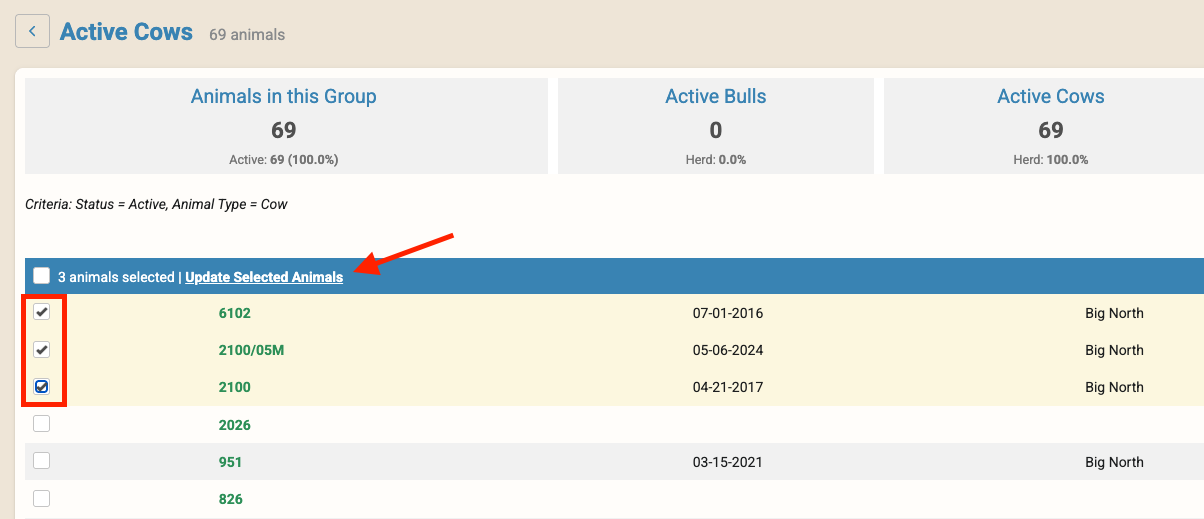
- Select the group of animals you wish to update by clicking on the box next to their ID, and then click the “Update Selected Animals” button.
 From the list of options, select “Add Pelvic Repro Measurements” > Continue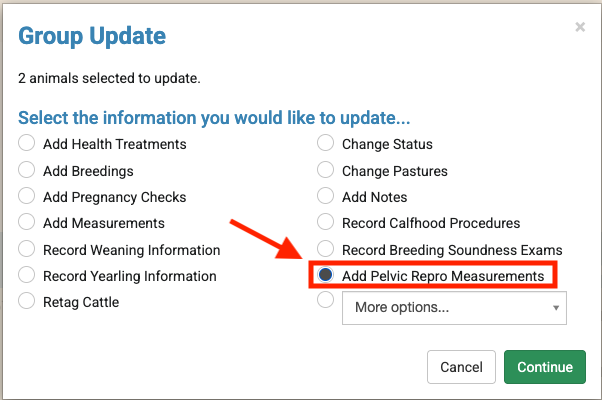
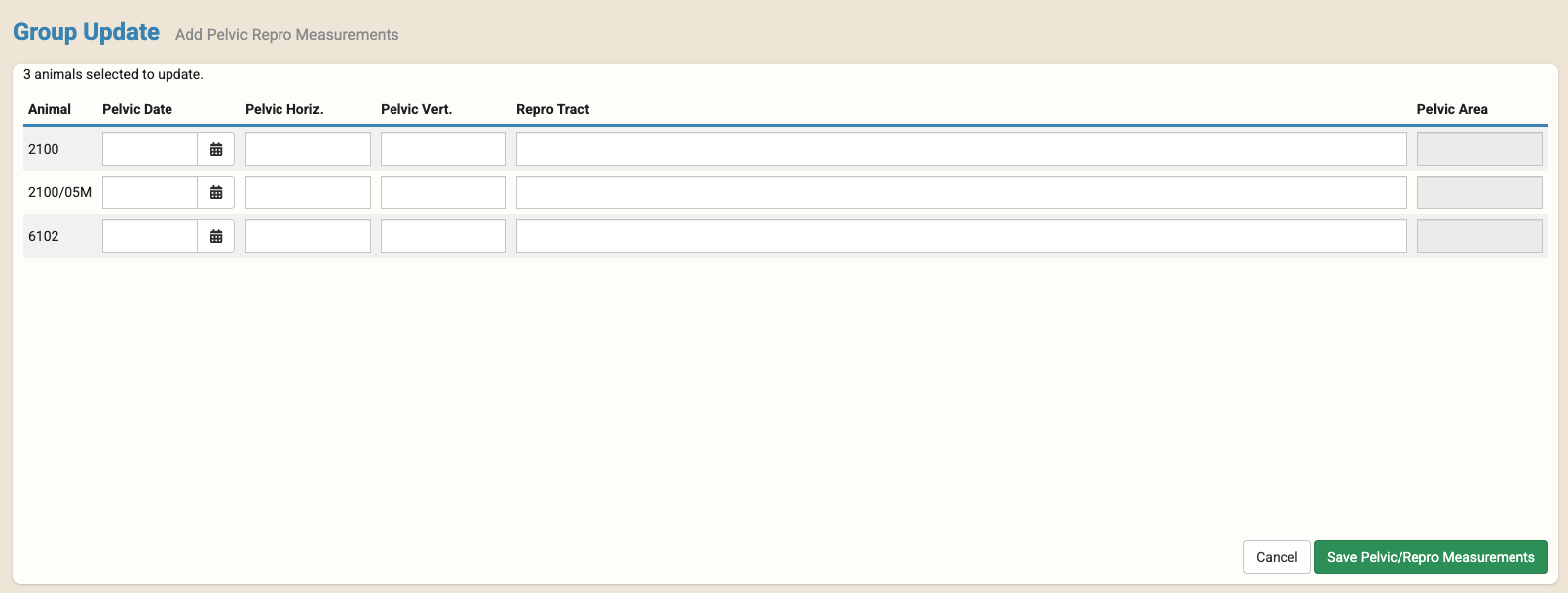
- Enter your data from the next grid-style screen > Save Pelvic/Repro Measurements.
 From the list of options, select “Add Pelvic Repro Measurements” > Continue
Note: The Pelvic Area will be calculated based on Pelvic Horiz. x Pelvic Vert.
Reviewing this data
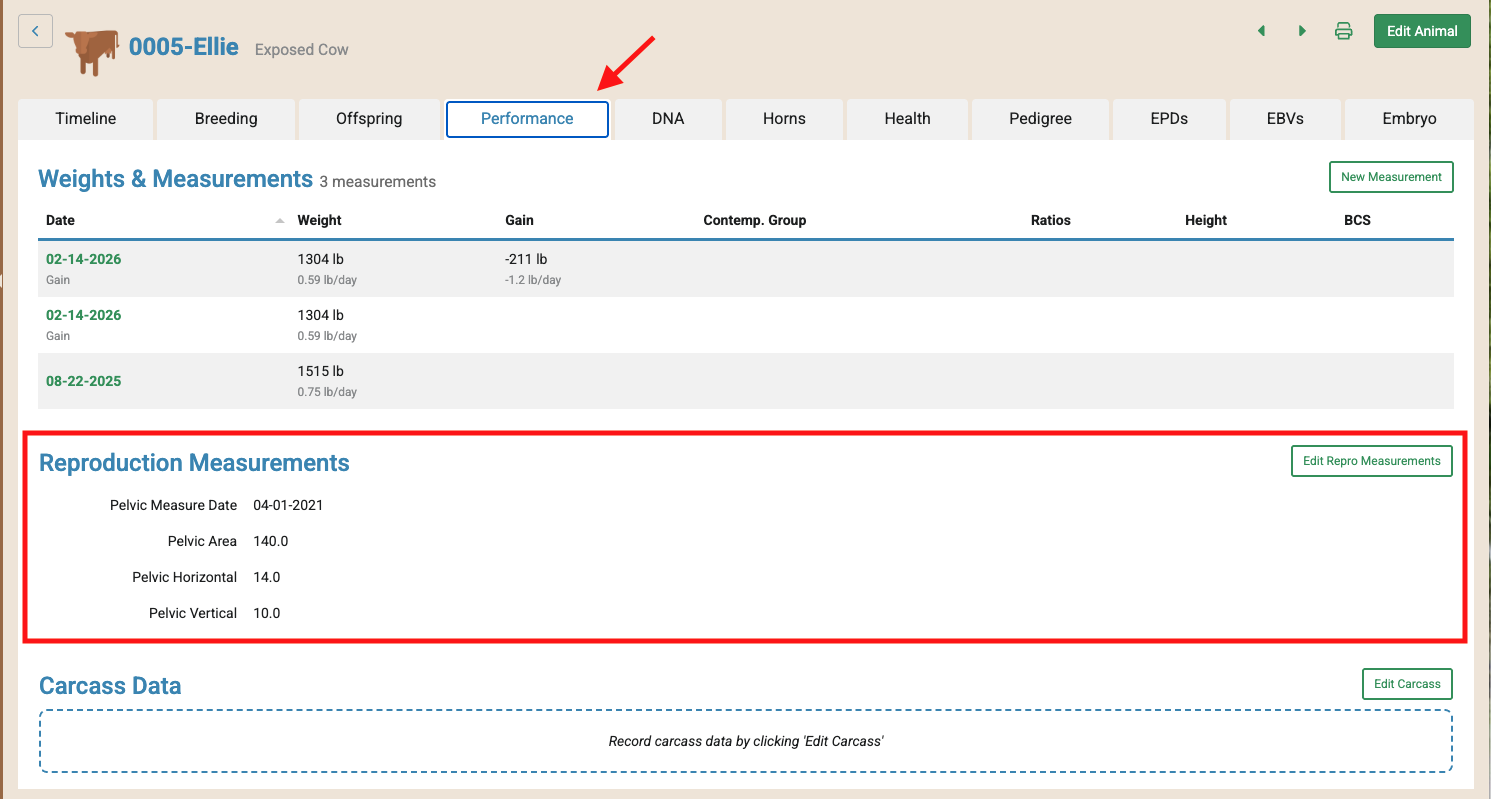
- Animal Profile Page > Performance tab (Reproduction Measurements)
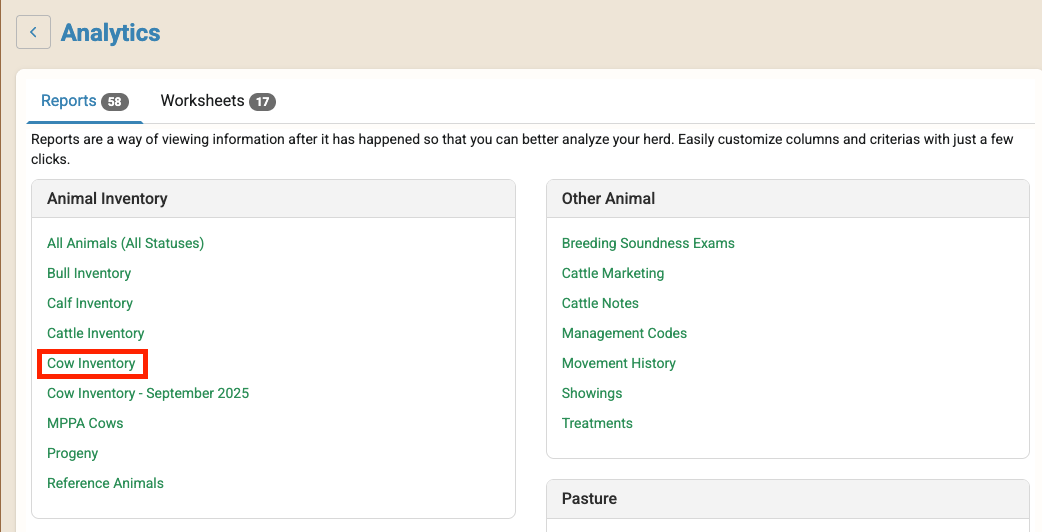
- Cow Inventory Report (Add Column Headers to pull in repro measurements)
 If you have questions about this feature, please contact our rancher-based customer support team. We would be happy to help!
 If you have questions about this feature, please contact our rancher-based customer support team. We would be happy to help!